Showing posts with label Gmail. Show all posts

Friday, December 24, 2010

Even More Ads Coming to Gmail

Google has been trying hard to monetise its popular email service Gmail. Recent efforts, as noticed by various bloggers, include to only ads show in the Web Clips box unless a user clicks on the navigation arrows. We have noticed in some of our accounts that Google is now testing ads at the end of a email message. The ad is highlighted in yellow and is clearly labelled as an "Ad", similar to the look-and-feel in search results page.


I personally find the ads not too intrusive but it definitely catches more attention as compared to the conventional ads on the right-hand side. What do you think about the new ads? Do you think they are too intrusive?

Friday, May 9, 2008

Social Networking Potential for Google

Google Reader recently launched something called Notes which a combination of Twitter and Google Shared Stuff. Basically, notes made Google Reader a platform for you to stay connected with your friends and update each other on stuff you are up to lately (kind of). But it seems so far that Google's attempts to socialize its products have been bits and pieces here and there. Imagine grouping all Google product feeds into one place, probably your Gmail Chat window, just like this:
Google Social Networking PotentialNot just your shared notes would be showed, but also public events in Google Calendar, Google Docs documents you share with your friends, YouTube videos, photos in Picasa Web Album, or even comments you make on Blogger. One platform that informs you of your friend's latest Google activities just like what Facebook is doing. However, this could potentially be more powerful than Facebook since Google products focuses on productivity while Facebook is just for fun. Corporates would find this a perfect tool to better connect its employees and improve efficiency. What do you think?

Wednesday, March 5, 2008

Help Center Restructures

Google has been restructuring its Help Centers for Gmail, Google Calender and Google Docs according to usability and user feedbacks. All of them have (updated) Known Issues pages which lists out common but unsolved problems. Users can view the detailed description of the issue and report it if they are experiencing it. This is Gmail's Known Issues page:
The similar voting system is used for feature suggestions where Google determines which feature to develop next:
Another improvement is that Google attempts to show relevant problems that users might also have when searching for a particular topic: Given the huge amount of users, to answer all emails received from users might take up to years. Therefore, for common "How-tos" and "Know-hows", Google is (more strictly) directing its users to official user groups or Help Center by hiding the Contact Us link or by using directories to divert users to appropriate sections. Google only provides (limited) email support to users who have gone through the entire Troubleshooter and find no answers.
I suppose more updates would be expected as Google continues to collect feedback from its users with this box appearing in most Help Centers:

Saturday, February 23, 2008

Be Invisible in Gmail Chat

Finally, there is a way for you to hide from your friends when you are checking your Gmail. You can now be 'invisible' in Gmail Chat, the built in IM tool in Gmail. Just like the invisible (or some like to call it Appear Offline) in other IM, you can see others status while you will be shown as offline to your contacts. You can still be able to initiate a conversation. However, if you are using Google Talk, the desktop application, at the same time, you would see this error message:
The invisible function only works for Gmail. And there is no official word from Google yet.

Related Posts:
Gmail Colored Labels - Color-code your labels in Gmail
Gmail Fetcher - Receive emails from other email accounts
Open Gmail Document Attachments in Google Docs - New way to view your attachments

Sunday, January 13, 2008

10 Reasons to Use Gmail

When you click on the 'About Gmail' link in the Gmail homepage, you will noticed top ten reasons why (Google thinks) you should use Gmail. Some of these reasons have been (are) featured on the homepage already (marked in *):

1. You don't like spam. Neither do we.*

Don't waste time with junk mail and unwanted messages. Gmail blocks spam before it gets to your inbox. If an unwanted message ever finds its way through, you can fight back by reporting it and help make our spam filters even better. Learn more

Watch a video to see how we combat spam.

2. Search your mail instantly*

Use Google search within Gmail to find the exact message you want, no matter when it was sent or received. You don't have to spend time sorting your email, just search for a message when you need it and we'll find it for you.

3. Organize replies into conversations

With Gmail, each message you send is grouped with all the responses you receive. This conversation view continues to grow as new replies arrive, so you can always see your messages in context.

4. Chat is built right in*

With just one click, you can chat in Gmail with the people you already email. You can even reply to an email by chat. And Gmail can archive all of your chats, making them searchable, so you never lose any valuable information.

5. Labels, filters, and stars...oh my!

Gmail uses labels to help you organize with more flexibility. A conversation can have several labels, so you're not forced to choose one particular folder for messages. You can also create filters to automatically manage incoming mail. Starring messages is another way you can organize your inbox. Plus, it looks pretty.

6. Get your mail on the go*

The days of needing your computer to get to your inbox are long gone. You can now use Gmail on your mobile device to access your email from anywhere.

7. Lots of space (and counting)*

We're always working to increase the amount of free storage we offer in Gmail, and if you want even more, you can always purchase additional space. With all that space, you can archive instead of deleting messages, so they won't clutter your inbox but will remain searchable in case you ever need them again.

8. We have ads, but only the good kind

With Gmail, you'll never see pop-ups or untargeted banner ads. Instead we display text ads and related links you might find useful and interesting. Learn more about how seriously we protect your privacy.

9. Save time

Take advantage of Quick Contacts and Keyboard Shortcuts in Gmail to get through your email even faster. And don't forget that you can quickly find messages using Gmail's search feature powered by Google search technology.

10. All this is free?

Yep.

Gmail has been testing with different homepage designs recently and spam prevention has been the most stressed feature replacing the 'infinity + 1' storage that used to make Gmail stands out.

Related Posts:
Gmail Colored Labels - Color-code your labels in Gmail
Gmail Paper - Print your emails on paper! [April's Fool]
View as Slideshow in Gmail - View PowerPoint attachments without leaving your browser

Tuesday, December 4, 2007

Gmail Colored Labels

You can now use colors to distinguish labels in Gmail with Gmail 2.0. Click the color swatch next to each label to assign a color:You can also easily remove labels from the top of an email:
[Via Official Gmail Blog]

Saturday, December 1, 2007

New Gmail Login Pages

Gmail is testing out some new login pages which put more emphasis on its integration with other Google products and its spam-filtering technology instead of storage and search. This is quite understandable as Gmail has already initiated a dramatic increase in the amount of free storage provided to consumers on web-based email clients (i.e. Hotmail is up from 2MB to 5GB while Yahoo goes from 10MB to 'Unlimited'). This design emphasize the benefits of getting a Gmail account:
Gmail gives you more than email

A Gmail account gets you access to many other useful Google services, like:

Less spam Google Docs
Create and share documents, spreadsheets and presentations online. Open Gmail attachments in Google Docs and begin collaborating right away.
Search Google Calendar
Organize your schedule, share calendars, and search for public events. Gmail automatically displays an "Add to calendar" link for messages that contain event information.
Storage More Google products
Get access to photo sharing with Picasa Web Albums, discussions in Google Groups, and track blogs and news in Google Reader.

Gmail's unfailing efforts in fight spam has made it stand out of the crowd:
Gmail keeps spam out of your inbox

Gmail users often cite great spam protection as a key reason they love Gmail. To keep spam out of your inbox, Gmail uses:

Less spam Advanced spam-fighting technology
Gmail's spam filters run on the same computing infrastructure that powers Google search, and use innovative Google technologies to detect and block spam.
Search Community spam reporting
By reporting unwanted messages, Gmail users play an important role in keeping spammy messages out of millions of inboxes.
Storage Rigorous checks
Gmail supports multiple authentication systems and performs rigorous checks on all incoming mail.

You as a Gmail user, what feature(s) do you think is more unique and makes you like Gmail?

Thursday, November 22, 2007

Happy Thanksgiving

The above is the doodle on the Google homepage celebrating Thanksgiving. The one below is the first Gmail doodle to celebrate Thanksgiving:

Friday, October 12, 2007

Good News for Gmail Users

Haochi from Googlified dug into the source code of Gmail's homepage and found that the storage estimation has been updated. The new entries indicates that the storage will be:

  1. 2912MB by October 11, 2007 midnight Google time
  2. 4.2GB by the 23rd this month
  3. 6GB by January 4th next year
  4. 42GB by the year of 2038
  5. and 2.70266701 × 1072 TB* by 1/2/3456 7:00
Though I doubt the possibility of getting TBs in Gmail ... I still think that getting 42GB is possible. The spontaneous update for paid storage might be a prove:
  • The previous rates were:
    6 GB ($20.00 USD per year)
    25 GB ($75.00 USD per year)
    100 GB ($250.00 USD per year)
    250 GB ($500.00 USD per year)
  • Now they are:
    10 GB ($20.00 USD per year)
    40 GB ($75.00 USD per year)
    150 GB ($250.00 USD per year)
    400 GB ($500.00 USD per year)
Let's wait and see ...

Update: The counter update is confirmed in the Official Gmail Blog and that they are really aiming at infinity + 1! Look at the counter: It's speeding now!

Wednesday, October 3, 2007

Google Apps Premium Offers Message Recovery

PostiniGoogle AppsAfter Google's recent acquisition of Postini, they are rolling out policy management and message recovery by Postini to Premier Edition administrators at no additional charge.

Here are some description from their product description page:

Policy management lets administrators implement rules for how messages are handled based on the sender, recipient, attachments or content of the message:
  • Messages can be selectively tracked, routed for review or blocked according to company or regulatory compliance guidelines. For example, emails with specific keywords can be prevented from being sent to external recipients, or groups of users can be entirely prevented from sending external email.
  • Configurable spam and virus filtering lets organizations add custom filtering rules, complementing the spam and virus protection already included in Gmail.
Message recovery allows you to search for mail across your whole domain and recover deleted emails on a 90-day rolling basis.
Premier Edition administrators can activate these new features from the Google Apps control panel.

It would be great if message recovery is available for normal Gmail users. ;)

Friday, September 28, 2007

Gmail Help Center Includes External Data Source

When you seek help from Gmail's Help Center, you would now see "user community" data in search results which includes not only threads from its dedicated Google Groups but also other external sources such as Lifehacker and About.com.

Given the fact that Gmail users increases dramatically after it opens up to the public, the Gmail Team might be receiving overwhelming amount of help tickets and turn to quality external sources which provides quick answers to simple questions.

Friday, August 10, 2007

Google Paid Storage

Google is offering paid storage for Picasa Web Album and Gmail and would extend the program to other services such as Google Docs & Spreadsheet soon. The paid storage could be shared among different services. The cheapest plan start at $20/year for 6GB.

Personally, this idea is pretty disappointing as I am expecting Google to offer unlimited storage to its users in the near future but it seems they are not interested in offering free yet ad monetized storage anymore. Gmail's keen competitor, Yahoo Mail, is offering unlimited storage now and I thought this was the trend. Well, don't imagine you can backup everything on your computer in GDrive, you might only get another gigabyte only. Sigh.

Manage your storage usage | Purchase extra storage

P.S. I would be Off to Iceland until 27 August so this would be the last post before I leave.

Thursday, July 12, 2007

Gmail New Signup Button

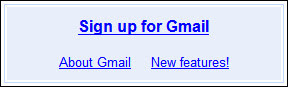
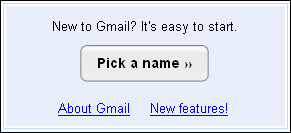
A slight update to the Gmail homepage by replacing the old tedious single line 'Sign up for Gmail' with the Mac style 'Pick a name »' button and a call to action statement 'New to Gmail? It's easy to start.'

Gmail Old Signup
Gmail New SignupIf you were new to Gmail, would you be attracted to sign up? Which do you think is better?

Related: Keep up-to-date with the news and updates of Gmail by subscribing to their newly established blog.

Tuesday, June 12, 2007

Gmail Adds 'View as Slideshow' Function

Gmail currently allows users to preview attached documents (.doc) and spreadsheets (.xls) in emails as HTML so that users do not have to download anything to open these files. Now you can even preview PowerPoint attachments by clicking on the 'View as slideshow' link below every .ppt attachments:
Gmail View as Slideshow FunctionOn click, you will be brought to a new window where you can preview slides by slides by clicking on the left / right arrows (A) or jump back and fro using the drop down list (B):Gmail View as Slideshow FunctionHowever, like most ofsthe new features, it is pretty buggy. I have experienced a 'Conversion failed' error and was told that the 'document is unreadable and possibly corrupted'. And a few of my PowerPoint with Chinese characters are corrupted, showing boxes rather than characters. I suppose they will be fixed very soon. ;)

Monday, June 4, 2007

Google Services Security Hole Exposed

Recently, a few security holes has been discovered in various Google services. The zero-case happened when Google Desktop was found vulnerable to an exploit that allows a determined attacker to remotely run most programs installed on a victim's machine. It is a man in the middle (MITM) attack injecting code that forces a user to click on a “Google Desktop result”. The person who discovered the Google Desktop vulnerability posted the details of this attack here.

The case was then followed with the discovery of an XSS attack on Gmail where an attacker could hijack your Gmail session by getting you to visit a malicious website. However, Google promptly fixed this one after it was posted.

Another security hole discovered this week was found in a tool that webmasters can use to request removal of pages. Anyone could traverse up the directory tree to see files on Google’s servers that should be confidential. For instance, a blogger was able to find a root password for one of Google’s databases by simply downloading a file. The most interesting point is that he discovered the password used was utter simplicity: 6 chars long 4 digits and two letters. Pretty ironic given Google's advisory on password strength, isn't it?

Maybe Google should make a mention about these series of incidents in their newly established Security Blog. :P

[Via Googling Google]

Monday, May 28, 2007

News Summary

Bigger Attachments in Gmail
You can now send emails with attachment up to 20MB. You have to be aware, however, that this is also restricted by the recipient's attachment size limit (e.g. standard Yahoo Mail and Hotmail accounts only allows attachments under 10MB).

Related: Official Google Blog | Gmail Help Center


New Google Talk Smileys
You can now choose from a wider range of emoticons in the Google Talk gadget, the Flash-based gadget launchable in a new browser window, or embeddable on iGoogle and elsewhere. Switch between different smileys by clicking the smiley picker at the bottom right of the Google Talk gadget (there’s 35 smileys and icons all in all, from devil to broken heart to crying and shock). Google offers three basic sets: animated yellow round smileys , animated yellow square smileys and static black & white smileys.

Related: Official Google Talk Blog | Launch Google Talk Gadget


Google Calendar in Mobile Devices
Just visit calendar.google.com from your phone, and you'll see your agenda of upcoming events, complete with details like date, time, location, description, and guest list.
Related: Official Google Blog


Google Cross Language Search
Now, you can search for something in your own language (for example, English) and search the web in another language (for example, French). Currently, it only supports 12 languages including Arabic, Chinese (Simplified), Chinese (Traditional), English, French, German, Italian, Japanese, Korean, Portuguese, Russian and Spanish. This tool is designed for majority of Internet users out there who are non English speakers to the obtain the gist of information in a language you might otherwise be unable to access majority of the content on the internet which is still in English.

Related: Official Google Blog| Google Translate

Search for Faces or News only
Google Image now allows users to restrict search results to faces-related or news-related images. You can search for faces by adding &imgtype=face behind the search results URL and Google uses face detection technology to select only images that contain faces. If restricted to news related images, it will include only images posted to news sites like BBC or New York Times. Here is what you get if you search for "Google" but restricted to face-related images:
Try it yourself. Enter keywords below:


Tuesday, April 10, 2007

Suggest a feature to Gmail

Don't know since when Gmail decided to replace the 'Suggest a feature' link from a 'remote area' to the front page of their Help Center. They also added new features (most likely based on suggestions by users) to the 'most-wanted list'. Here are some interesting items:

  • Backgrounds for messages Something like the Google Personalized Homepage?
  • Animal emoticons I really don't know why animals but not humans
  • Hierarchy of Label system (i.e. sub-Labels) I would suggest label archiving instead
  • Ability to block a user from sending mail to your account
  • Sort messages by size, date, sender, etc. I believe this is the most wanted
  • Integration with other Google products such as Calendar, Groups, Reader, Picasa, etc.
  • To-do list This should come with Google Calendar
  • Export messages to a CD for storage Gmail Paper coming true?!
  • SMS notifications for incoming messages
  • Have Gmail do my laundry Is this a human verification? Or another Google joke?
They also added in a new field called 'Location'. Maybe Google wants to know which where do their picky users come from ;). Vote for your most wanted features (up to five) now!

Sunday, April 1, 2007

Gmail Paper

Google's 2007 April's Fool is finally out: Gmail Papers. Gmail Papers allows users to request a physical copy of any message with the click of a button, and Google'll send it to you in the mail.