Friday, December 24, 2010

Even More Ads Coming to Gmail

Google has been trying hard to monetise its popular email service Gmail. Recent efforts, as noticed by various bloggers, include to only ads show in the Web Clips box unless a user clicks on the navigation arrows. We have noticed in some of our accounts that Google is now testing ads at the end of a email message. The ad is highlighted in yellow and is clearly labelled as an "Ad", similar to the look-and-feel in search results page.


I personally find the ads not too intrusive but it definitely catches more attention as compared to the conventional ads on the right-hand side. What do you think about the new ads? Do you think they are too intrusive?

Thursday, March 11, 2010

Google Maps Street View in Hong Kong

Finally, Google Maps Hong Kong adds (the long waited) Street View function. Google Street View allows you to virtually explore city neighborhoods by viewing and navigating within 360-degree scenes of street-level imagery. It was first launched back in March 2007 in major US cities. Now, available in US, Canada, Australia, some EU countries, Taiwan, and many more.

Last year, Google's Taiwan office has confirmed that street view would be coming to Hong Kong soon (after the launch in Taiwan in August last year). Several have been spotting street view cars across Hong Kong since January 2009. So far, street view has done a good job covering major roads and streets in Hong Kong. Here are some touristy scenic spots:

Time Square:


Golden Bauhinia Square:


The Hong Kong International Airport Terminal 1:


On Tsing Ma Bridge:


Google has an official guide to Street View where you can learn more about behind the scene about the vehicles and their imagery.

Saturday, December 12, 2009

Universal Search in Suggest


Now you can get answers directly from Google's search box without even hitting enter. Now when you're searching for the weather, flight status, local time, area codes, package tracking, answers, definitions, calculator, currency and unit conversions, Google would display the Universal Search results directly in the suggestion box. Learn more

This move makes much sense as the idea of Universal Search is to deliver "smack on" answers to common queries. Why require users to hit one more button, load a new page before you can get answers to simple questions? And for Google, more relevant results means improved user experience resulting in an increased user loyalty and switching cost.

Saturday, November 21, 2009

Sneak Preview in Google Calendar

I got invited to try out a new feature in Google Calendar called Sneak Preview that allows you to simultaneously preview your friend's calendars while creating an event. Currently in Labs, the "Free or busy" gadget already allows you to check the present availability of your friends but when scheduling an event, you would still need to go to a future date, cross check your friend's calendar to make sure that all of your guests are free during a particular time before creating the event.

With Sneak Preview, you would be able to preview your friend's calendar on a new mini-calendar in the Create Event screen. This makes scheduling events much easier by allowing you to see when people are free and if the proposed time would conflict with existing events. Here's a screenshot of Sneak Preview in action:

Google Calendar Sneak Preview
The proposed event time is highlighted with a translucent shaded box (which is also drag-able). As you add guests to your event, their calendar would show up and you can see their events along side your own calendar. Roll over to their events and details would pop up.

This feature, however, might not be as useful to users who own several personal calenders (e.g. one for work and one for personal) as it currently only shows your default calendar.

If you're invited to test the new feature, you should see a link in your Create Event page:
Google Calendar Sneak Preview Invitation

Do you think this feature would make creating events easier?

Tuesday, November 18, 2008

New AdSense Interactive Ad Spotted

Google constantly experiments with different look-n-feel of their ads to see which one better performs and would generate higher click-through-rates. I've recently spotted an interactive ad (of the size of 300 x 250) which contains a seach box in the middle:

AdSense Interactive Ad Search Box
It only advertises one site at a time and allows you to search within the content of the advertised site. Notice that the title of the ad (at the very top bolded) is not a link, rather, mere text. You could navigate through the results by clicking "Next" or "Previous" at the bottom. Here's a screen-capture that illustrates how it works in practice:

Sunday, June 8, 2008

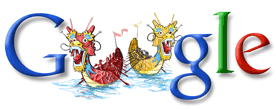
Dragon Boat Festival

Google celebrates the Dragon Boat Festival (also known as Duanwu Festival - 端午節 - 端午节) in China, Hong Kong and Taiwan. The festival is to remember the death of poet Qu Yuan who committed suicide after a regime take-over in 278BC. Traditionally, people eat rice dumplings and participate in dragon boat races.

Sunday, June 1, 2008

Google Docs - Most Loved Office Suite

Google Docs was voted as PC World's readers' favorite office suite beating a competitive product Zoho Office which offers similar services. It also ranked #27 in the editors' list. Other Google products on the list of the 100 Best Products of 2008 include #25 Google Maps Street View, #41 Gmail, #81 YouTube.

Monday, May 19, 2008

Condolence to Si Chuan Earthquake Victims

Black and White Google Logo
Google China turned its logo to black and white in memory of those who died in the Si Chuan Earthquake. Also, the banner below is showed on Google.cn which is translated into: "Let us remember the moment [of earthquake]. Hope that those who died with rest in peace, those who survived will strive on."
gSpy would like to express deepest condolence to the 32476 [to date] who died in the Si Chuan earthquake.

Sunday, May 11, 2008

Happy Mother's Day

The Mother's Day doodle is up in Google Hong Kong and China:
If you search for Happy Mother's Day on Google, you would see the power of OneBox as you would see related searches, iamges, news and blog posts all mixed together. ;)

Friday, May 9, 2008

Social Networking Potential for Google

Google Reader recently launched something called Notes which a combination of Twitter and Google Shared Stuff. Basically, notes made Google Reader a platform for you to stay connected with your friends and update each other on stuff you are up to lately (kind of). But it seems so far that Google's attempts to socialize its products have been bits and pieces here and there. Imagine grouping all Google product feeds into one place, probably your Gmail Chat window, just like this:
Google Social Networking PotentialNot just your shared notes would be showed, but also public events in Google Calendar, Google Docs documents you share with your friends, YouTube videos, photos in Picasa Web Album, or even comments you make on Blogger. One platform that informs you of your friend's latest Google activities just like what Facebook is doing. However, this could potentially be more powerful than Facebook since Google products focuses on productivity while Facebook is just for fun. Corporates would find this a perfect tool to better connect its employees and improve efficiency. What do you think?

Google Maps in Hong Kong

Today is a rather big day for Hong Kong users since Google has updated their Google Maps database in Hong Kong and Google Finance now supports Hong Kong stock listings. Google Maps will now show building names and MTR exits in Hong Kong. However, searching building names will only return user-created content (if any). Although there is still no official word from Google yet, the copyright notice at the bottom right suggests that Google has partnered with MapKing, a famous local mapping company. Hopefully, business listing will soon be available in Hong Kong.

Wednesday, March 26, 2008

Google Docs Updates

Google Docs has been one of the most frequently updated Google product. Here are some of the latest updates:

  1. Gadgets in Spreadsheet
    With the help of open source gadgets API, you can create more interactive charts and graphs in your spreadsheets. There are already some pretty useful ones such as motion chart, scatter chart, time series, heat maps, etc.
  2. New Menu Bars
    The menu bar is renovated and looks more Office 2003-ish. Some tools have been rearranged to different tabs.
  3. Set Up Notifications
    Receive alerts whenever edits are made in your spreadsheets. Learn more

  4. Colored Folders
    Just like in the 'Newer Gmail' you can now give a folder a particular color.
  5. Change Ownership
    You can now change the 'owner' of a document or presentation (not spreadsheets) to someone else in the dashboard. Go to "More Actions > Change Onwer".

Wednesday, March 5, 2008

Help Center Restructures

Google has been restructuring its Help Centers for Gmail, Google Calender and Google Docs according to usability and user feedbacks. All of them have (updated) Known Issues pages which lists out common but unsolved problems. Users can view the detailed description of the issue and report it if they are experiencing it. This is Gmail's Known Issues page:
The similar voting system is used for feature suggestions where Google determines which feature to develop next:
Another improvement is that Google attempts to show relevant problems that users might also have when searching for a particular topic: Given the huge amount of users, to answer all emails received from users might take up to years. Therefore, for common "How-tos" and "Know-hows", Google is (more strictly) directing its users to official user groups or Help Center by hiding the Contact Us link or by using directories to divert users to appropriate sections. Google only provides (limited) email support to users who have gone through the entire Troubleshooter and find no answers.
I suppose more updates would be expected as Google continues to collect feedback from its users with this box appearing in most Help Centers:

Sunday, March 2, 2008

Time Lapse Video of Google Doodle Creation

What to know how Google's Chief Doodler Dennis Hwang draws a Google Doodle from scrap to finish? Watch this video:

Saturday, February 23, 2008

Be Invisible in Gmail Chat

Finally, there is a way for you to hide from your friends when you are checking your Gmail. You can now be 'invisible' in Gmail Chat, the built in IM tool in Gmail. Just like the invisible (or some like to call it Appear Offline) in other IM, you can see others status while you will be shown as offline to your contacts. You can still be able to initiate a conversation. However, if you are using Google Talk, the desktop application, at the same time, you would see this error message:
The invisible function only works for Gmail. And there is no official word from Google yet.

Related Posts:
Gmail Colored Labels - Color-code your labels in Gmail
Gmail Fetcher - Receive emails from other email accounts
Open Gmail Document Attachments in Google Docs - New way to view your attachments

Sunday, February 17, 2008

Google Vespa

Google VespaTaken in Macworld 2008

[Image Credit: Scott]

Friday, February 15, 2008

Google AdWords Ads in Netherlands

Henk spotted this pretty cool billboard advertisement in Netherlands featuring two case studies about a restaurant owner and an automobile part retailer. They also offer €50 AdWords promotional credit.

Image credit: Henk shared under CC 2.5 License

Video Ads Test in Google Search Results

According to New York Times, Google is testing videos ads in its search results. Google is also testing ads that uses images, interactive maps and other more elaborate features.

At first, users will barely notice the change because the videos will not be immediately obvious. Ads with accompanying videos will have a small button with a plus sign. Google has increasingly used the plus icon to indicate that certain information — such as a map — can pop up on a search results page. Users that click the plus button on an ad will see a small video player that shows a commercial, movie trailer or other clip.

For now, advertisers will not pay extra to put video in the ads. They enter a price they will pay for a click in Google’s regular text-ad auction. But in the video ads, the advertiser pays when users click to see the video, even if they never click through to the advertiser’s site.

“People who advertise a movie want to show a trailer. Why shouldn’t they have the same format we use for search results and have a little plus box that says watch the trailer?” said Marissa Mayer, Google’s vice president of search products and user experience.
There is no official word from Google at the moment.

New Android SDK Releases

Google released an updated version of Android SDK. It includes a new user interface, layout animations, geo-coding and more. Here are some mock-ups of the new user interface:

Saturday, January 19, 2008

Google Gadget Center Launched

Google quietly launched a Gadget Center for its gadget developers that would "guide you through all the steps needed to make your gadget a success".